Isaac's Personal Productivity System with UV Scripts, AI Agents, and Justfile
This post covers my personal productivity workflow for content
creation, from blog posts and Twitter updates to YouTube videos. It's a
system tailored to my needs, built with UV scripts, a Justfile, and AI.
Normally I prefer written posts over videos, but in this case I
highly recommend you watch the video. Workflows should be seen,
not read about. I'll still write up explanations for those who prefer
text.
Introduction: My Productivity Approach [00:00]
Hi, I'm Isaac. I'm here to show you my personal workflow that I use
for all kinds of productivity tasks.
This isn't one-size-fits-all. Build your own mini productivity tool.
My focus is speed, flexibility, and making things work for me.
The system has a few core components:
-
UV Scripts: Small Python scripts managed by UV.
-
Justfile: A command runner that provides one entry point for all
my scripts. -
AI Assistance: AI helps generate and maintain the scripts.
The File [00:54]
But I have a file that has all my commands.

Think of the file as the entry point for me and my agents. It's one
place to define and access the commands I need, or point an agent to do
the same. Here's an example of what that looks like [01:03]:
Generate Twitter draft post from URL or thoughts
twitter-draft input:
uv run scripts/create_twitter_draft.py "{{input}}"
Launch the Air app to edit blog post markdown files
app:
uv run fastapi dev app/main.py
Read a specific issue
gh-issue repo number:
uv run scripts/github/read_issue.py {{repo}} {{number}}
With this setup, I don't need to remember the FastAPI command, the right
environment, or the GitHub API call. It's all there for me and the
agent, displayed exactly how I want it.
For example, I run twitter-draft "content". Content can be a URL or a
voice transcription. The script fetches the content, generates draft
options, and drops them into a directory for later. It also prints
follow-up instructions for an LLM agent to name it automatically.
It simplifies the process and avoids complex commands [05:52].
Why are you rolling your own GitHub issue reader?
Why build a script for reading GitHub issues instead of using the official GitHub MCP? Customization and AI have shifted the cost of creating tools.
Customization: It's faster and easier to tweak something you built.
You know it better, and it's simpler because it only handles the cases
you care about.
Creation cost: It used to mean finding a library, installing it,
reading docs, and fiddling until it worked. It wasn't long, but long
enough to justify a tool. With AI, I created the script in under 10
seconds. It would have taken much longer to download, install, and
configure a prebuilt solution.
Content Creation Tools (Twitter, YouTube, etc.) [01:14]
I use my system for Twitter, YouTube, and blog posts. The Twitter draft
script [01:14] creates three versions of a tweet plus prompts to think
about, which helps me start quickly.

The just yt-pipeline command runs a series of scripts for me:
-
Download the YouTube video
-
Create chapter timestamps
-
Create a transcript with periodic timestamps
-
Capture a screenshot every 3 seconds
-
Make a content plan
-
Draft a blog post with embedded screenshots
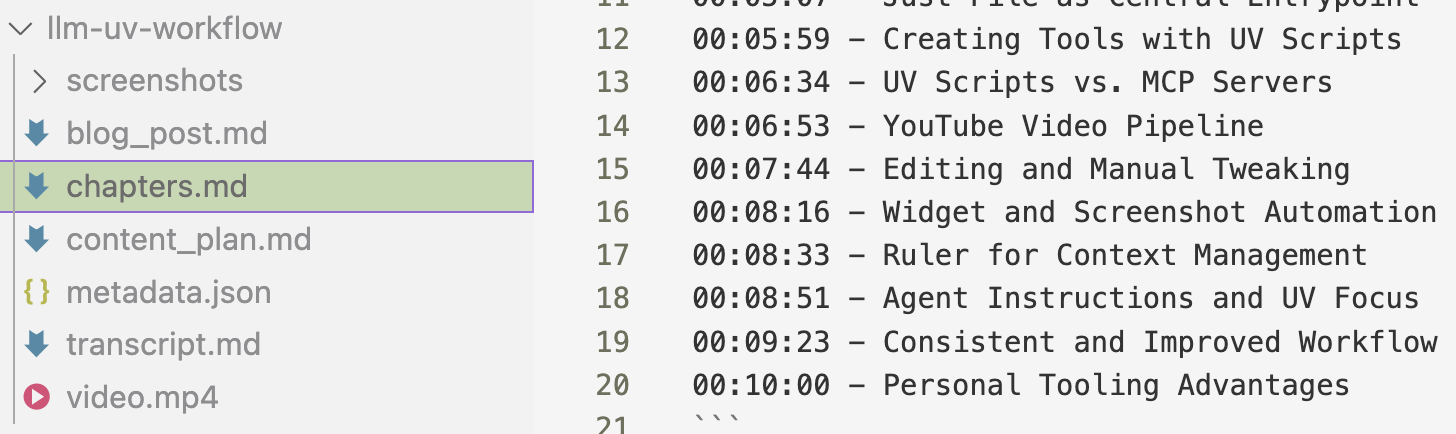
The generated content isn't perfect, but it's a strong starting point
that saves me a ton of time [07:44].
But I have a tool for that too: a custom Markdown editor [03:02]. I
launch it with just app, so there's nothing to remember. It includes
image selection, so I can cycle through screenshots with arrow keys and
pick the best one for my content [03:16]. It saves time and isn't built
into any Markdown editor I know.

UV Scripts: The Building Blocks [03:55]
So how does this run? Well, every script is a small UV script.
Every script in my system is a self-contained UV script [04:01] with its
own dependencies and environment. That isolation keeps things flexible:
I can tweak one file without affecting the rest of the system [04:11].
#!/usr/bin/env python3
/// script
dependencies = ["google-generativeai", "httpx"]
///
"""
Generate a Twitter draft post from a URL or topic/thoughts.
Usage:
uv run scripts/create_twitter_draft.py "Your thoughts or URL here"
Environment:
GEMINI_API_KEY must be set
"""
Can't you make a Python library?
Yes. I absolutely can, and it's what I used to do. Here's why I do this
instead.
The cost of making and managing scripts used to push me toward a
carefully refactored library. That's not true anymore. Quick scripts
take seconds to make, and they're isolated, so I can change one part of
the process fast without touching the rest. I don't have to manage
editable installs, and a Justfile is simpler than a Makefile.
Some of the prompts even have my name in them. The goal is a quick, hackable approach that makes one person more efficient.
Everyone should build their own version.
Key Takeaways: Building Your Own System
-
Personalization is key: This system is built around my needs
[10:05]. -
Small, independent scripts: UV scripts are flexible and easy to
maintain [10:10]. -
Central command center: The file simplifies workflow management
[05:52]. -
AI is a powerful assistant: It helps generate and maintain tools
[04:47]. -
Focus on practical functionality: Don't over-engineer. Make it
work for you [10:17].
Build what works for you. Experiment and customize.