Leverage of Simplicity
Hey this is Isaac,
Each week: one build, one lesson, one refactor. Practical ideas to build better.
This week I jumped from untangling a messy Stripe integration to generating an AI promo video. The mental whiplash is real.
The Build: Directing an AI to Make a Promo Video
I created a 74-second promo video draft in about 30 minutes. AI wrote the code, but I was the creative director. Retaining control of AI is everything; You can't just vibe-code it. Context, taste, vision, and critical feedback can't be manufactured.
Here's what I did:
- Provide Good Context. I gave AI tools to retrieve the real documentation and source code for factual correctness.
- Add Your Vision. AI can't know what you want people to feel. I voice-transcribed my vision, goals, and feelings to get my intuition into context.
- Iterate with Taste. The text was small and key features were missing. I used domain knowledge to fix errors, add animated callouts, and mold it to my taste.
- Sync with Audio. AI can't "feel" music. I found a song with a major phrase change at ~30 seconds and timed a key visual to that moment.
AI is powerful when wielded by someone with expertise and a clear vision.
For a full breakdown of the prompts and process, read the full article here.
The Learn: A Pattern for Personal Automation
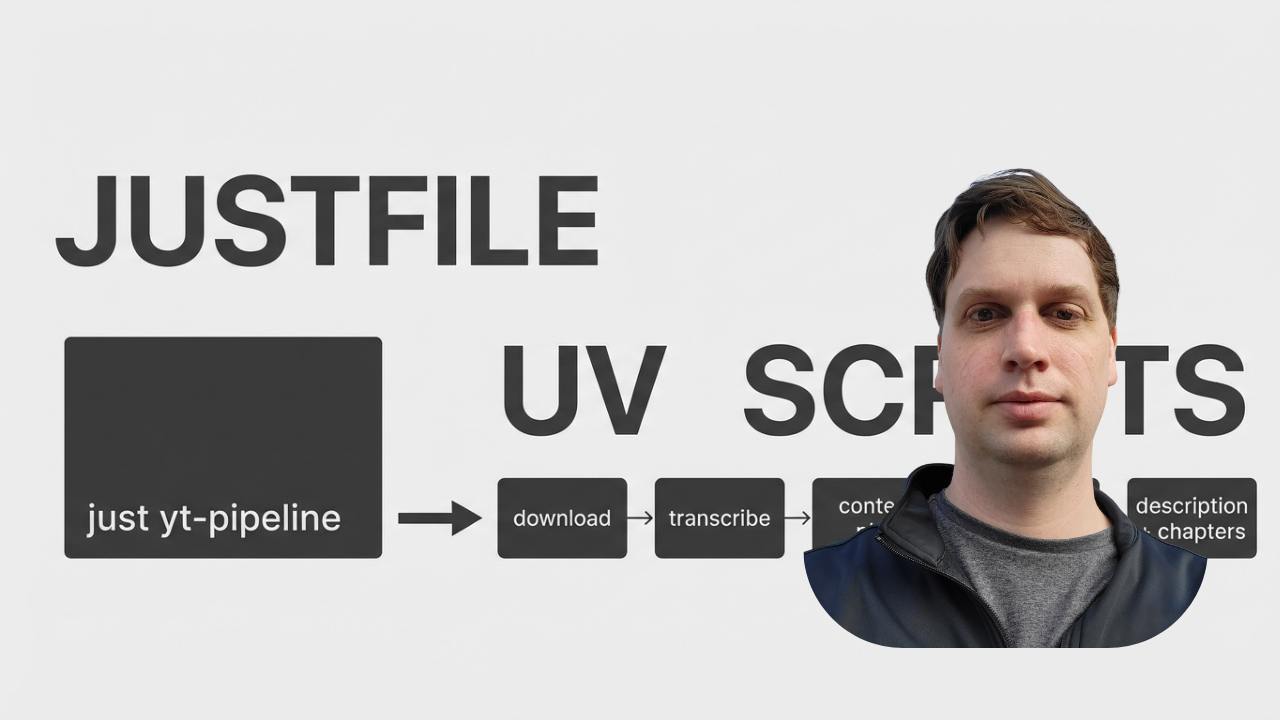
A pattern for building your own tools: combine a justfile for simple commands with uv scripts for isolated logic.
- The
justfileis your simple interface. Ajustfilefile is a command runner (likeMakebut simpler).uv run fastapi dev app/main.pybecomesjust app. It's your personal, simplified command-line menu. uvscripts are your disposable tools. Each tool is a self-contained Python script.uvlets you declare dependencies in the header withdependencies = ["yt-dlp"].uvinstalls them for you, eliminating the need to manage virtual environments for small scripts.
This lets you build powerful workflows. I have a just yt-pipeline command that runs a sequence of AI-generated scripts: download -> transcribe -> content plan -> blog post -> description + chapters. They worked so well, I'm building a product around this workflow.
Each script is independent, and the justfile orchestrates them. Add instructions in your AGENT.md or CLAUDE.md file about the justfile and get them all as agent tools as well.
Why build your own tools? With AI, the creation cost is low. I created a custom GitHub issue reader script in under 10 seconds. Faster than finding, installing, and learning a pre-built tool. The GitHub MCP has over 90 tools and takes tens of thousands of tokens of context. Writing your own takes seconds.
To see the full workflow and get the scripts, read the full article here.
The Refactor: Trading API Calls for Simplicity
The classic approach to Stripe webhooks is a complex state machine. You write separate handlers for every event:
customer.subscription.created, updated, deleted, invoice.payment_succeeded, and so on. This means complex routing logic and helper functions just to figure out the current state.
We threw that out for a radically simpler approach for a SaaS I am building.
The old way: Listen for a specific event, interpret its payload, and update our database accordingly.
The new way: After any subscription-related webhook arrives, we ignore the payload and make one API call to fetch_stripe_subscription_details. We ask Stripe for the latest, authoritative state of the subscription and sync it to our database.
The result? We replaced over 200 lines of complex event-handling logic with a single, idempotent function call. It's a 90% reduction in code in our webhooks file and completely eliminates ambiguity. It might cost an extra API call, but it buys us absolute certainty and drastically simpler code.
Until next week,
Isaac