Six things I tried with Jev
 Isaac FlathSeptember 16, 2026
I've been trying Jev, TypeSafe's new judgment model. Here's what I tried:
- Fact-checking my scripts
- Ranking my news feed
- Finding the right text in PDFs
- Checking citations
- Grouping my review notes
- Figuring out why agents fail
1. Fact-checking my scripts
I tested Jev on a fact-checking eval set I made from my news scripts. When I see new things in the document space I write up my thoughts on it to share. Having more checks to verify my takes are fully supported by the source article is really helpful.
In one example, based on this Finch case study, a script said client calls took a half hour. These kinds of things are easy to mix up, especially when voice transcribing, and so it’s nice to have extra checks.
I used gemini for this kind of thing before, but it’s slow and expensive so I thought I’d try Jev.
Jev caught the issue where the half hour cited was about call prep not on the call. When I corrected the wording, Jev accepted it. Each Jev test took less than half a second.
| Script check | Jev | Gemini 3.5 Flash |
|---|---|---|
| Correct checks | 24/24 | 24/24 |
| Median response time | 0.41 sec | 1.68 sec |
2. Ranking my news feed
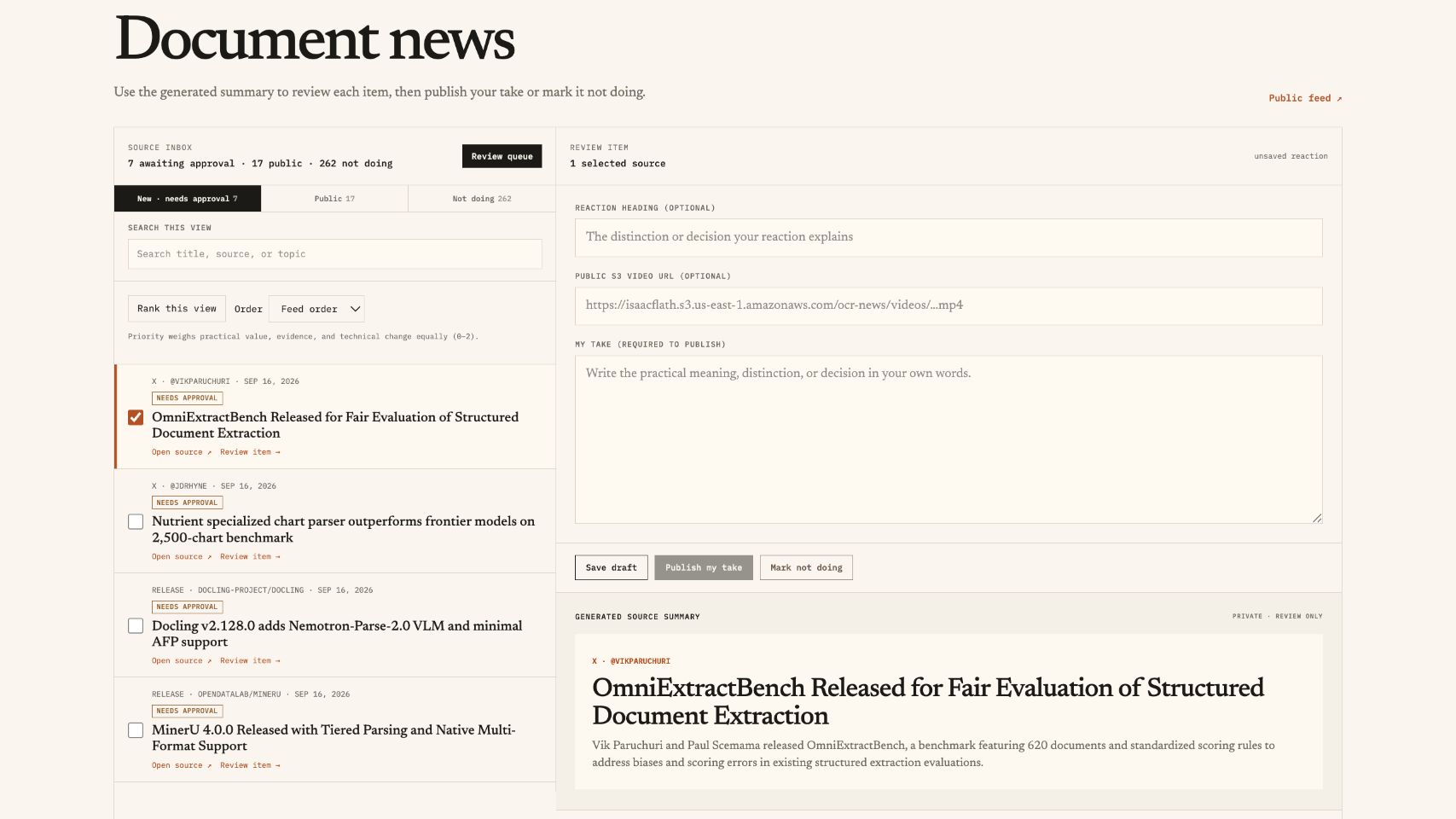
I have a private news feed aggregator to get all things Document. It pulls from lots of sources like X, Blogs, Youtube, Huggingface orgs, Github Repos, etc.. When I have something to say about one, I add it to my public news feed. But there's a bunch of crud to filter through because most things from the feed isn’t that interesting (I cast a wide net). Most the the source only sometimes talk about document related stuff, and sometimes even the most document focused person is just shit posting.
Because of this, I used Gemini Flash filter out stories I wouldn't care about as an LLM judge, then sorted the rest oldest to newest.
I switched to use Jev as the judge. I hide the ones below a cutoff and put the highest scores first.
On my eval set. Jev gave me 10 stories, with 6 that I'd marked as worth reading. Gemini gave me 10 with two I'd marked as worth reading. This gives me SO MUCH LESS crud to filter through.
3. Finding the right text in PDFs
I have a Document Lab where I test using agents for question answering over PDFs. Before an agent can answer, it needs to find the right text in the document. I use embedding search for this, but the passage with the answer doesn't always come up first so I need to include more results into the congext window than i’d like..
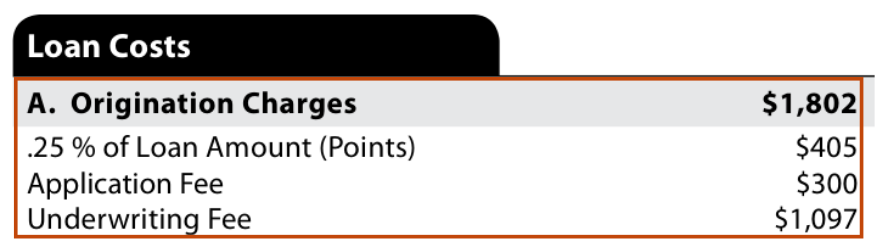
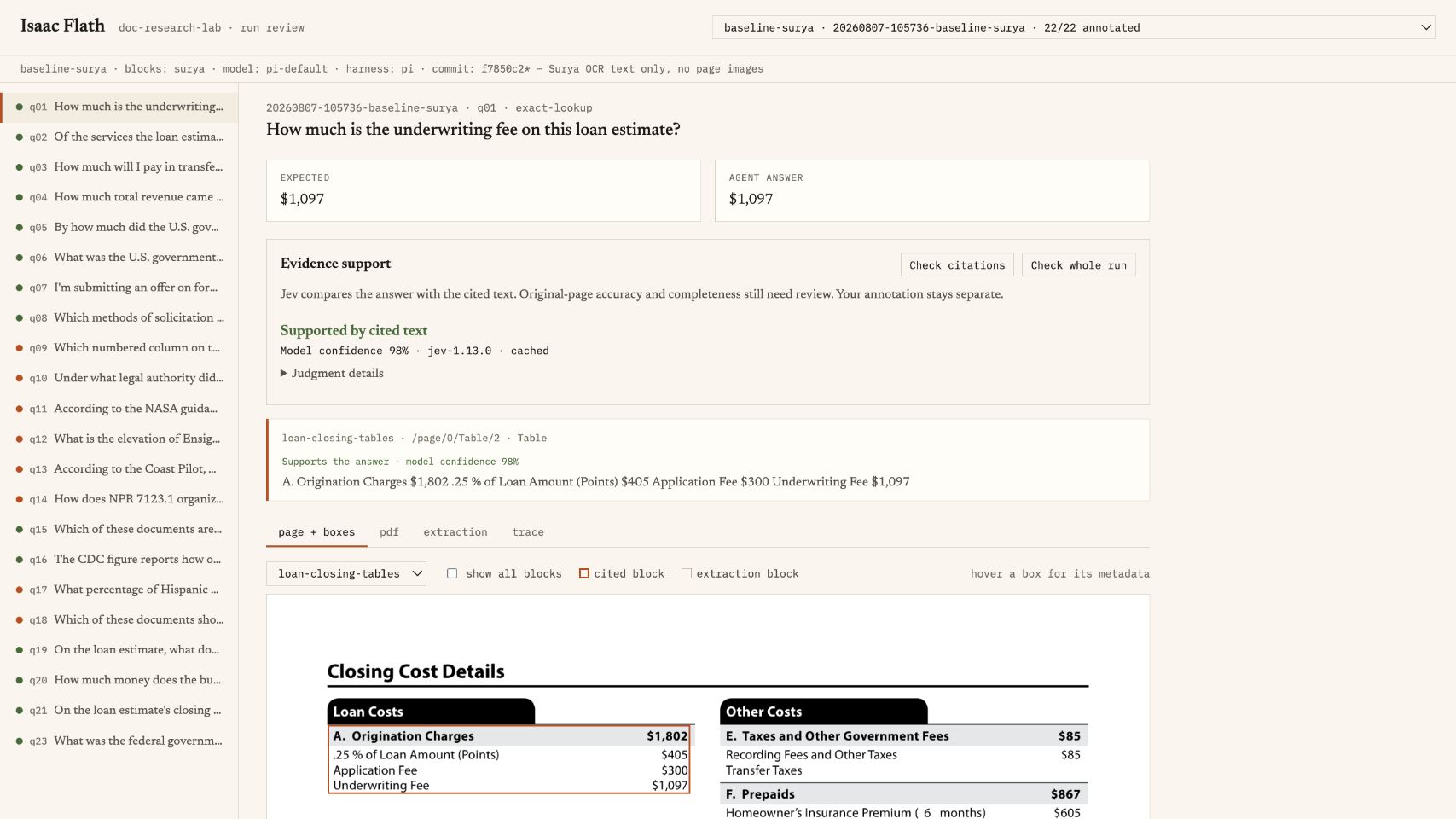
One example, one question is how much an underwriting fee is. The loan estimate says $1,097, and the section of the doc with that number is ranked fifth per embedding relevance score.
I gave Jev the top 8 search results and asked which ones helped answer the question. It put the underwriting-fee passage from fifth to first.
I tried this across a dozen more questions and with Jev sorting the results, the right passage came first seven times instead of once.
This is really great because it’s a sign that I can reduce top_k, which will reduce both cost and latency of the agent.
4. Checking citations
After finding the text, the agent writes an answer and cites the document with a bounding box. I already have a (kinda stupid) check that it has a citation, but that doesn't really tell me if it's a good citation.
So, I tried giving Jev the question, the answer, and the text it cited. I asked whether the text agrees, disagrees, or is irrelevant to the answer
To test this, I changed the underwriting fee in an answer about the same loan estimate and Jev caught the error. I did this on a handful of other cases and it worked well.
I still review the results for evals, but this gives me a first pass that can catch mistakes super fast. I could also use it while the agent is running and have the agent try again when its answer doesn't match the source ebcause it doesn’t add too much latency.
5. Grouping my review notes
When I review agent runs, I write down what failed in a text field (open coding). I end up with notes about individual runs, and I need to group them to figure out the top recurring issues that I need to fix.
I tried giving those notes to Gemini and Jev to put into categories. I'd already done this by hand, so I could compare their choices with mine.
Jev picked the same category as me on 24 of 28 notes, and Gemini did on 25. Gemini won by 1, but Jev's median response time was 0.35 seconds compared to Gemini's 4.85.
This is excititing because I could have it categorize each note as I write it because of how fast it is.
| Grouping review notes | Jev | Gemini 3.5 Flash |
|---|---|---|
| Matched my category | 24/28 | 25/28 |
| Median response time | 0.35 sec | 4.85 sec |
6. Figuring out why agents fail
I’d already read through traces to make notes of the errors, but I wanted to see how well/poorly Jev could do that part too. So I gave it the entire trace and had it try to identify the root cause category of the error.
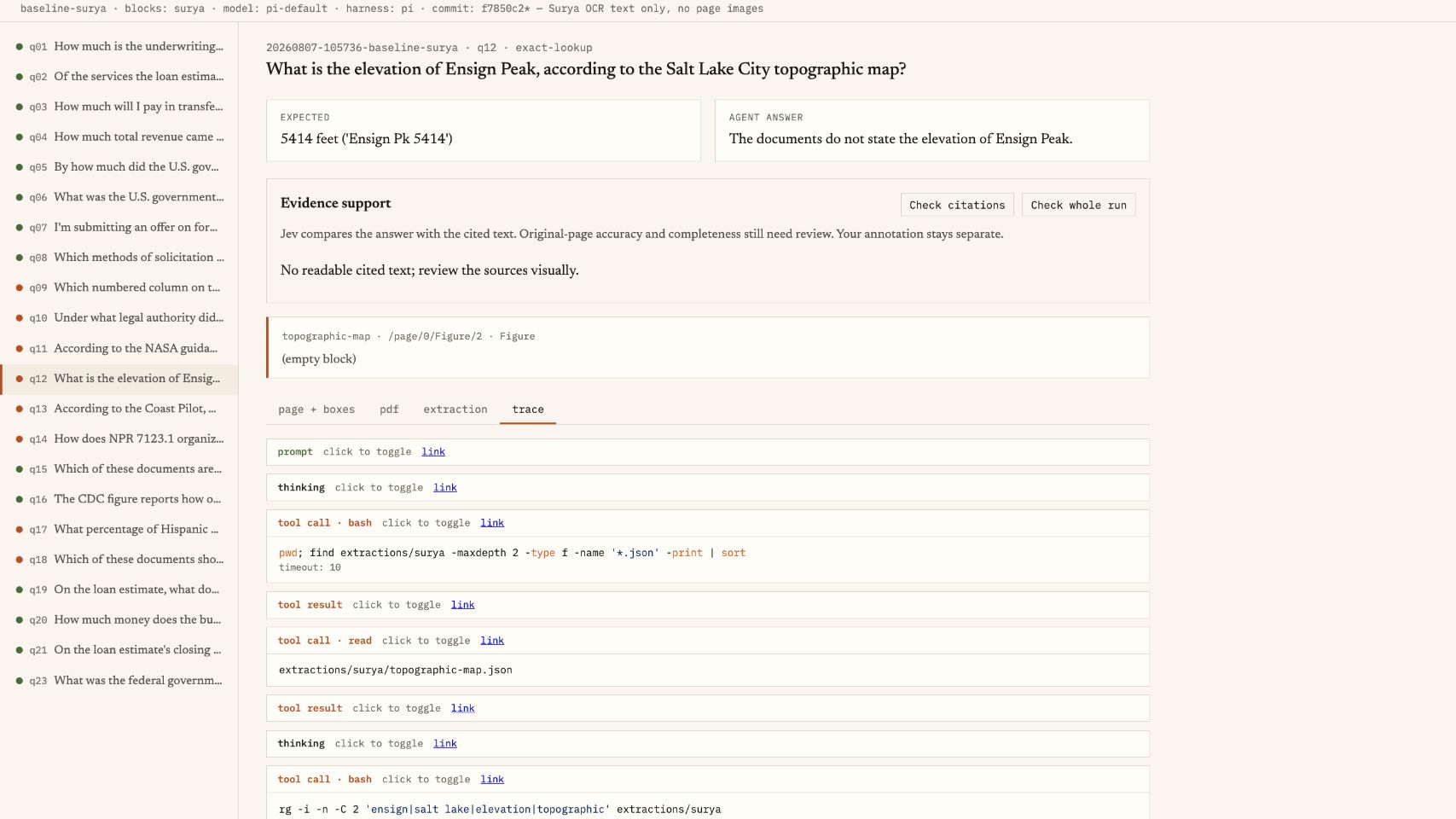
The Ensign Peak example below shows an agent giving the wrong answer. I have the correct answer in my evals, but I still need to go through the agent's tool calls to work out what happened. Agent hallucination? Retrieval failure? OCR left out info?
I gave Jev and Gemini the full trace. For 24 failed runs, I compared their error categories with the ones in my evals. Jev matched 19 and Gemini matched 20.
Jev's median response time was 0.52 seconds versus Gemini's 4.23, about 8 times faster. It still gets some categories wrong, so I'd need to check its work, but it could give me a first pass over the failed runs before I review them myself.
And maybe eventually even a repair flow in the harness because it runs pretty quickly!
| Checking traces against the correct answer | Jev | Gemini 3.5 Flash |
|---|---|---|
| Matched the expected error category | 9/14 | 10/14 |
| Median response time | 0.52 sec | 4.23 sec |